Contact: when to expect a reply
Write to [email protected] or use the corrections form; companies use the page for companies. An error is fixed within a few days, and a request about personal data is answered within 30 days at the latest.
Translated from Serbian. Where the exact wording matters, the Serbian original applies.
Where to get in touch
| Issue | Where |
|---|---|
| An error on the site or the map, a missing charger | the corrections form or “Report an error” on the charger card |
| Whether a charger works | a report on the charger card; it shows up immediately |
| Company or network details | page for companies and networks |
| Deleting a report, personal data, anything else | [email protected] |
| Charger fault, payment | the network that runs the charger (network contacts) |
BlokVolt does not operate chargers and cannot see your payments to the networks.
When you get a reply
- Data corrections: within a few days. Every correction is recorded in the changelog.
- Review of comments and photos: usually within a few days.
- A message from a company or network: checked, usually within a few days.
- A request about personal data, for example for access or deletion: without delay, within 30 days at the latest.
You can only get a reply if you leave an e-mail address; in the corrections form it is optional.
Step by step: the corrections form
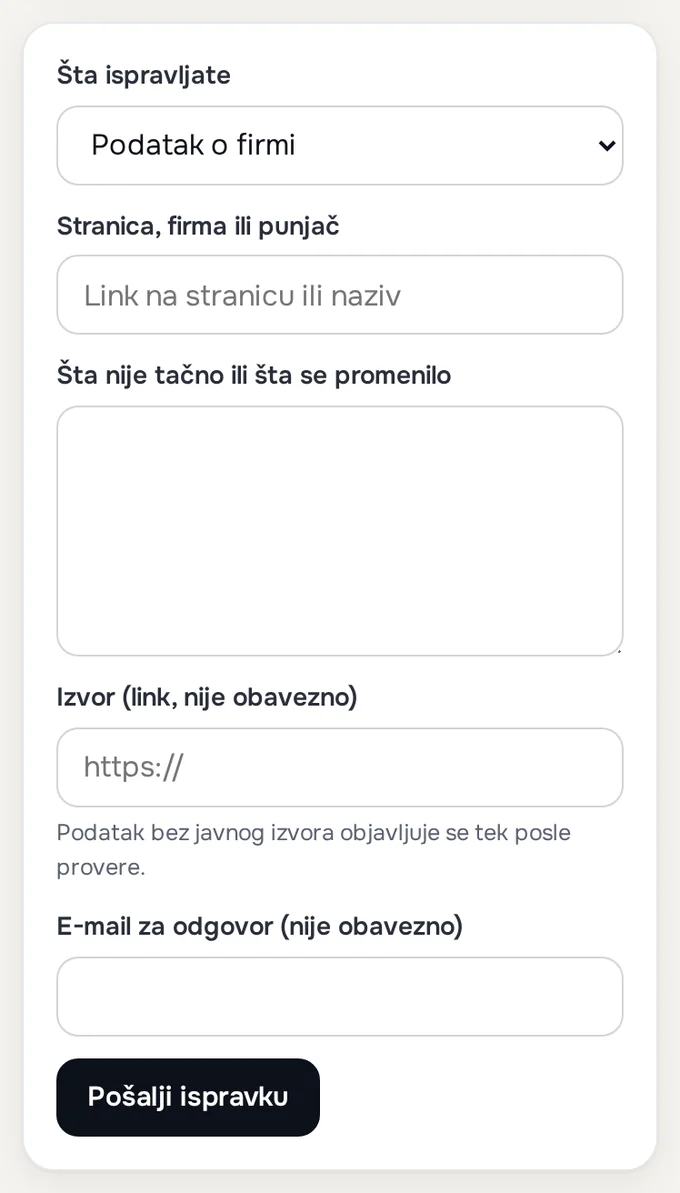
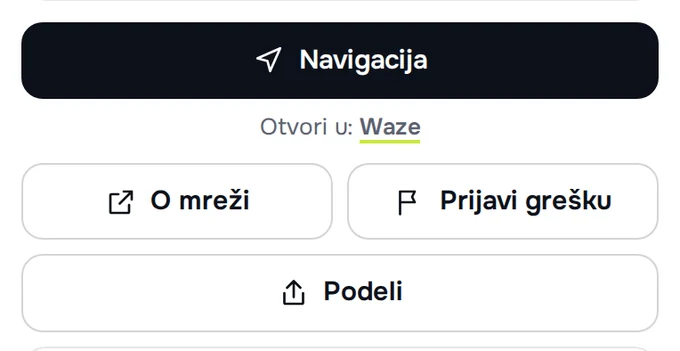
- Open the corrections form, or press “Report an error” on the charger card; the charger is then already filled in.
- In the “What are you correcting” field, choose: company details, network or charging price, charger on the map, missing charger, article or guide, or other.
- Enter the link or name, what is wrong and the source, if you have one.
- Add an e-mail address if you want a reply and press “Send the correction”.
If that does not help
- “Too many messages today. Please write to [email protected].” The form accepts a limited number of messages a day; write by e-mail.
- “Sending failed. Try again or write to [email protected].” Check your connection and send again; if it still fails, write by e-mail.
- Send a screenshot or photo by e-mail; the form accepts only text and a link.
What to send
- a link to the page or charger;
- what is wrong and what it should say;
- the source: a link or a dated screenshot;
- an e-mail address for the reply.
Was this helpful?
Thank you for your feedback.
Sent. Thank you.
Sending failed. Write to [email protected].
Updated 28.09.2026 · Report an error in the text
Related questions
Charger not working: who to contact
BlokVolt does not operate chargers. For a fault or payment, contact the network; for wrong information on the map — BlokVolt; in case of danger, call 193 or 112.
For companies: correcting details in the register
Listing, corrections and additions are free and the same for all companies. Details taken from your website are corrected through the corrections form, and everything else through the page for companies.
Removing a comment or photo
There are no accounts, so deleting a report, comment or photo is requested by e-mail to [email protected], giving the charger and the approximate time it was posted.