Add a missing charger
On the corrections page, choose “Charger missing from the map” and write where the charger is and who runs it. Data without a public source is published only after it has been checked.
Translated from Serbian. Where the exact wording matters, the Serbian original applies.
Before sending
Check that the charger is not on the map under another name: search for the street, place or network. Choose the “All” filter and switch off “Confirmed”, because it hides unconfirmed chargers.
The map shows only public chargers. Private chargers and chargers for bicycles are not shown.
Step by step
- Open the corrections page.
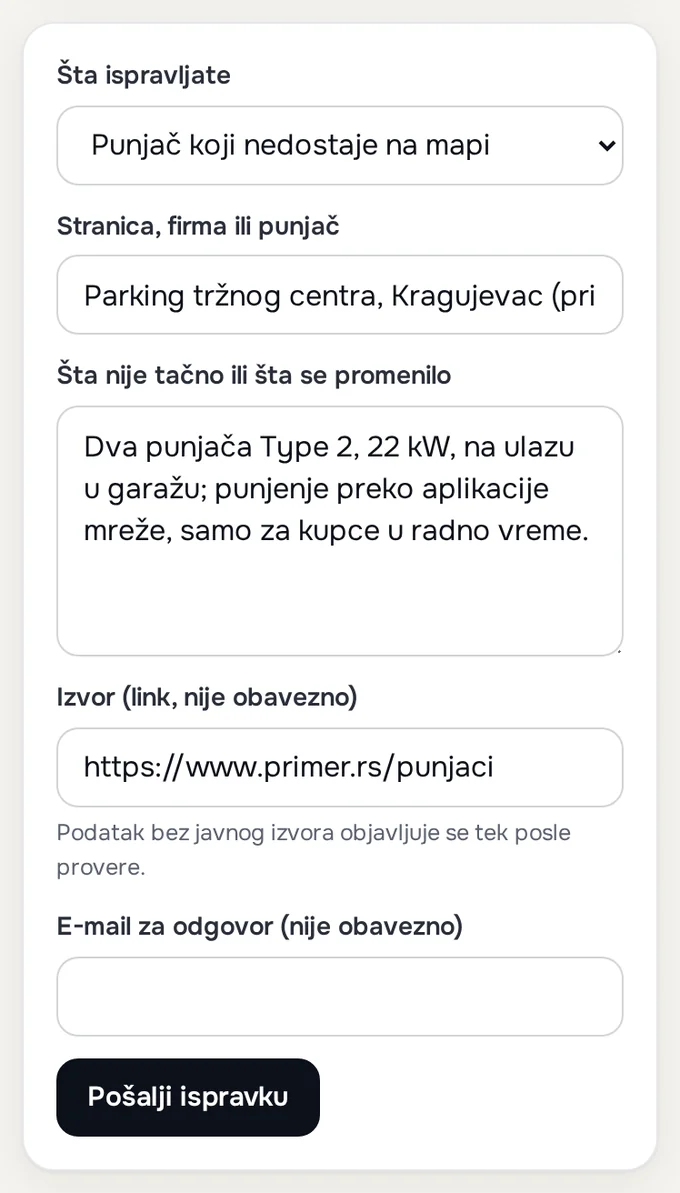
- In the “What are you correcting” field, choose “Charger missing from the map”.
- In the “Page, company or charger” field, enter the name of the venue and the place, for example a shopping centre car park and the city.
- In the “What is wrong or what has changed” field, write the details from the list below.
- In “Source”, enter a link if you have one, and your e-mail address if you want a reply. Press “Send the correction”.
After sending, it says: “Thank you! The correction has been received and will be checked within a few days.” Instead of using the form, you can also write to [email protected].
What to send
- the exact location: the address or coordinates; in Google Maps or Apple Maps, you get the coordinates by long-pressing the spot;
- the network or app used to start charging, and whether it is free;
- the connectors and power, as written on the charging post;
- who can charge: everyone, or only guests or customers, and the opening hours;
- the source: a link to the network's or the venue's list. Send a photo by e-mail, because the form accepts only text and a link.
What happens next
Data without a public source is published only once it has been checked. A charger that is not on a network's list and has no recent rating on Google Maps is labelled “Not confirmed” (what that means). Every correction is recorded in the changelog.
A network or company sending several locations at once uses the page for companies and networks.
Details: adding to the open databases
The locations on the map come from OpenStreetMap and Open Charge Map. A charger you add to one of these databases also appears on the BlokVolt map with the next snapshot of the databases, and then goes through the same check as the others.
Was this helpful?
Thank you for your feedback.
Sent. Thank you.
Sending failed. Write to [email protected].
Updated 28.09.2026 · Report an error in the text