Android (APK): installation and verification
Download the APK from the App page, allow installation from the browser and tap “Install”. Before installing, you can compare the file's SHA-256 with the value on the site.
Translated from Serbian. Where the exact wording matters, the Serbian original applies.
Step by step
- On your phone, open the App page and tap “Download the APK” (1,2 MB). If you are on a computer, scan the QR code on that page with your phone's camera.
- If your phone asks, allow installation from the browser you used to download the file. You can switch that setting off afterwards.
- Open the downloaded file blokvolt.apk and tap “Install”.
- The BlokVolt icon appears among your apps. A long press on it opens shortcuts to the map, prices and news.
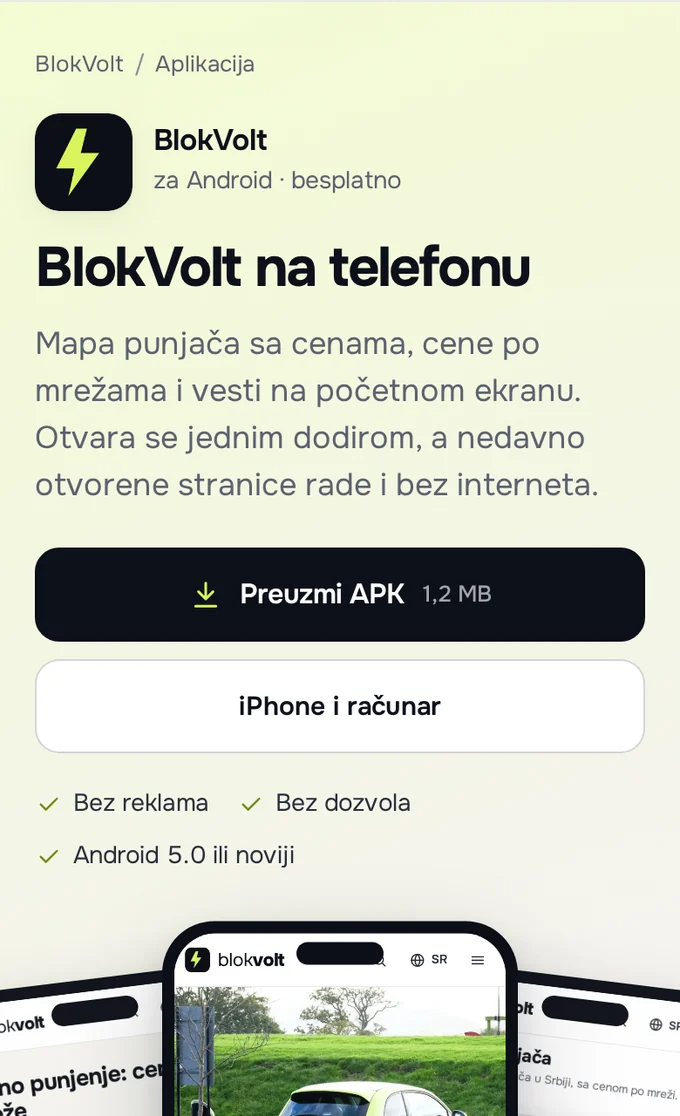
You need Android 5.0 or newer and Chrome or another browser that supports this type of app. The app asks for no permissions and opens www.blokvolt.rs full screen.
Verifying the file (SHA-256)
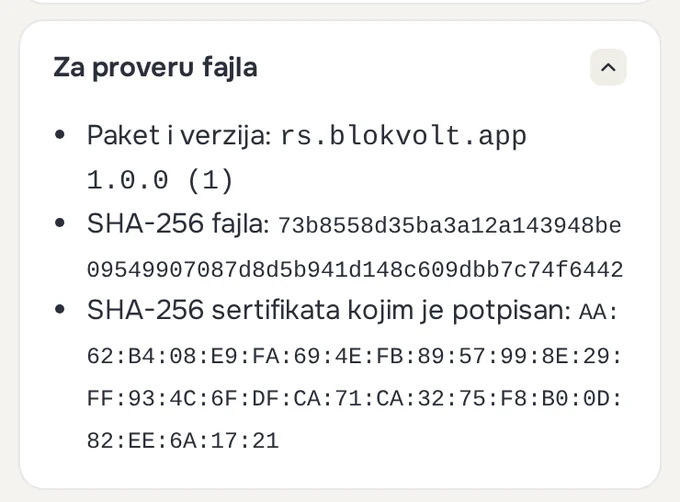
On the App page, the “To check the file” section lists the package and version, “File SHA-256” and “SHA-256 of the signing certificate”. As of 28.09.2026, the version is 1.0.0 (1). The file's SHA-256 changes with every version, so always take it from that page.
Calculate the SHA-256 of the downloaded file:
- Windows (Command Prompt):
certutil -hashfile %USERPROFILE%\Downloads\blokvolt.apk SHA256; in PowerShell:Get-FileHash $HOME\Downloads\blokvolt.apk. - Mac (Terminal):
shasum -a 256 ~/Downloads/blokvolt.apk. - Android: install an app that checks a file's hash value (search the app store for “SHA-256”), choose the SHA-256 algorithm and the file blokvolt.apk from the Downloads folder.
If the value you get is the same as “File SHA-256” on the page, the file is the same as the one on the site. Upper and lower case do not matter.
Details: verifying the certificate
The certificate shows who signed the file and is the same for all versions, so a new version installs over the existing one. As of 28.09.2026, the certificate's SHA-256 is:
AA:62:B4:08:E9:FA:69:4E:FB:89:57:99:8E:29:FF:93:4C:6F:DF:CA:71:CA:32:75:F8:B0:0D:82:EE:6A:17:21
With the apksigner tool from the Android SDK: apksigner verify --print-certs blokvolt.apk. The line “certificate SHA-256 digest” should show the same value, without colons.
If that does not help
- The value does not match: do not install the file. Delete it, download it again only from www.blokvolt.rs/aplikacija/ and check once more. If it still does not match, write to [email protected].
- Chrome or Play Protect warns about the file, or the installation fails: Updates and installation problems.
- The app is not on Google Play yet; publishing is being prepared. Until then, the file from the site is the same app.
Was this helpful?
Thank you for your feedback.
Sent. Thank you.
Sending failed. Write to [email protected].
Updated 28.09.2026 · Report an error in the text