First charge at a public charger
You need an app or a payment card, the right connector and the right order: with Charge&GO confirm first, with Orion plug in first.
Translated from Serbian. Where the exact wording matters, the Serbian original applies.
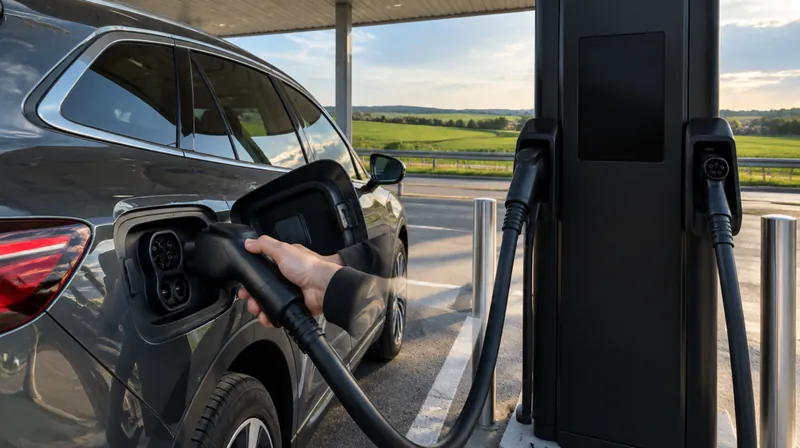
- For your first charge an RFID card is not needed: the app or the QR code on the charger is enough
- The order is not the same everywhere: with Charge&GO you plug in the cable after confirming, with Orion the cable goes in first, then “Start charging”
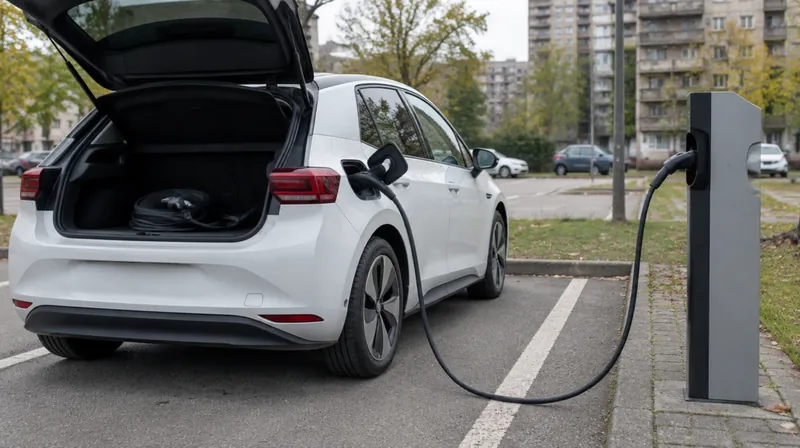
- Fast DC chargers have their own cable; for many public AC chargers bring your own Type 2 cable
- Orion reserves 2.000 RSD (AC) or 4.000 RSD (DC) on your payment card
- After charging Charge&GO gives you 15 minutes, then charges 5 RSD for each started minute
App, QR code or card
- Charge&GO without an account: scan the QR code above the connector and enter your e-mail address and payment card.
- Charge&GO with an account: start charging in the app or with an RFID card. Registered users pay a lower price.
- Orion eMobility: the QR code on the charger leads to the app. You need an account with a payment card.
Open the account at home, before you first arrive at the charger. Which network runs which charger: apps and cards.
Details: RFID card, payment and the amount reserved
- Charge&GO without an account: instead of the QR code you can enter the charger ID on the portal client.chargego.rs. The card is charged after the session.
- Charge&GO RFID: only with an account. Order it when you register or later, under “Informacije o nalogu” (account information); it arrives in 2–3 working days. Until then, charge through the app.
- Orion RFID: the card is collected from an Orion eMobility partner and added to your account.
- Payment cards with Orion: MasterCard, Visa, DinaCard, American Express and Diners.
- Reservation: when charging, Orion reserves 2.000 RSD for an AC or 4.000 RSD for a DC charger.
Which connector
| Connector | Charging | Note |
|---|---|---|
| Type 2 | AC | Standard in Europe |
| CCS (CCS2) | DC, fast | Type 2 with extra DC pins |
| CHAdeMO | DC | Japanese standard, separate DC connector |
Fast DC chargers have a fixed cable; you only choose the connector. Many public AC chargers have no cable, so keep your own Type 2 cable in the boot.
Details: CHAdeMO and adapters
- A car with a CCS socket cannot charge at a CHAdeMO post. Adapters exist but are hard to find.
- CHAdeMO is used, for example, by the Nissan Leaf. The charger map has a CHAdeMO filter.
- On its map the Charge&GO app shows the connector type and whether it is free.
Starting the charge
Charge&GO:
- Confirm the charge in the app, with an RFID card or with a one-off payment.
- Plug in the cable when the app asks you to.
If you plug in the cable before confirming, you have to repeat the process.
Orion eMobility:
- Plug the car into the charger.
- Once the car is connected to the charger, tap “Start charging” in the app.
Details: when charging does not start
- With Charge&GO you have 1 minute after confirming to start charging. After that, confirm again.
- Charge&GO support: weekdays 08–16 h, 011 715 85 99. Help at the charger at any time: 066 803 17 00.
- Orion eMobility support: [email protected].
- The emergency stop button is only for danger, not for ending a normal session.
- Whom to contact when a charger does not work: charger not working.
Ending the charge and the receipt
- Charge&GO: stop charging the same way you started it. The fiscal receipt arrives by e-mail, and the app keeps a charging history.
- Orion: tap “Stop charging” in the app at any time. The receipt arrives at the e-mail address of your account.
Then unlock the car, remove the cable and free the space. After charging ends Charge&GO gives you 15 minutes, then charges 5 RSD for each started minute.
Details: cable stuck, Orion and history
- Cable locked in the car: unlock the car; if needed, lock and unlock it again. Check that charging has stopped. If the cable still will not come out, contact the network’s support.
- Orion: one session lasts at most 120 minutes, and the space should be freed after charging. You can enter your name and address for the receipt when registering, if you wish. The transaction history is in the app.
- How to pay less: cheaper public charging.
Sources (10)
- Charge&GO — FAQ (order of steps, stopping, RFID not required, support), modified 22.11.2024
- Charge&GO — terms of use from 26.06.2024 (QR code and charger ID, 1 minute to start, fiscal receipt by e-mail, idle fee after 15 minutes)
- Charge&GO — app (lower price for registered users, charging history, connector type on the map)
- Orion eMobility — user guide (cable first, “Start charging”, reservation 2.000/4.000 RSD, receipt by e-mail)
- Orion eMobility — payment platform (payment cards, RFID)
- Orion eMobility — terms of use (RFID from partners, transaction history, 120 minutes at most)
- EV fix — connector types
- EV Expert — CCS and CHAdeMO are not compatible
- Postani vozač (HR) — cables on AC and DC chargers
- Petrol (HR) — cable stuck in the car
Updated 13.10.2026 · next check 12.11.2026 · Report an error
Related
How to pay less at a public charger
When you pay by the minute, a kilowatt-hour is cheapest while the car charges fastest, and that is in the lower half of the battery.
Plug-in hybrid at a public charger
When you pay for time, a plug-in hybrid with a slow on-board charger pays the most expensive kilowatt-hour at the whole charger.
Charging cost 10–80 % by model
The same charger bills the same minute, but each car takes a different amount of energy in that minute.